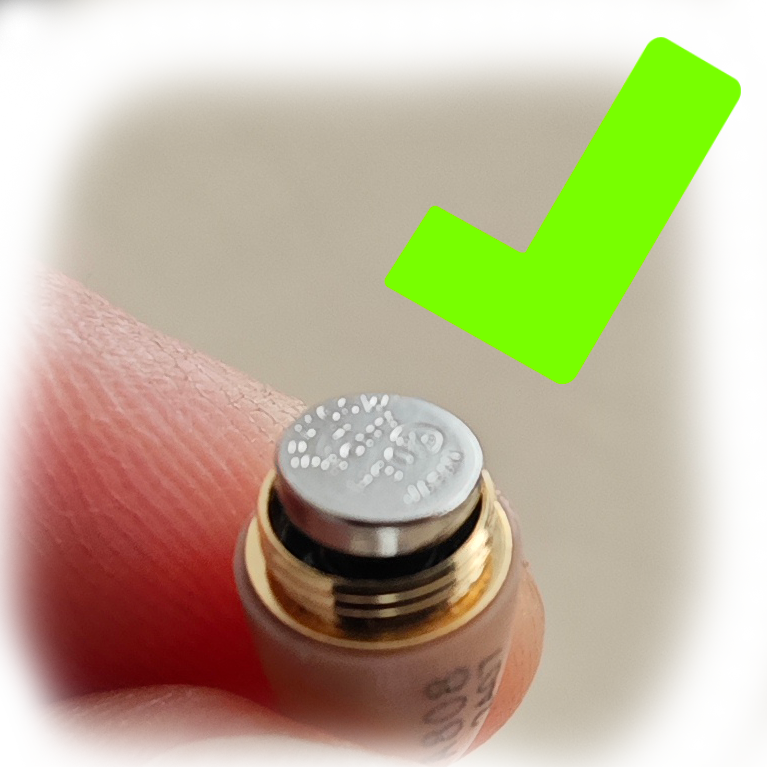
If you hear too loud buzzing sound, please check the following:
Stay away from all electronic devices that may interfere with the magnetic field of the earpiece, such as computers, TVs, high-voltage cables, or any other devices that can interfere with the inductive loop magnetic field.
BLUETOOTH TROUBLESHOOT
STEP 11 - THE LOOP
USING THE BLUETOOTH LOOP
BLUETOOTH TROUBLESHOOT
Step 2 - Turning on
Turning on
Turn on the Bluetooth loop by pressing and holding the power button for 3 seconds until it powers on.
You will first see the blue light blink twice. After that, the device will enter pairing mode, indicated by alternating red and blue lights.
BLUETOOTH TROUBLESHOOT
Step 13 - Pairing with you phone
Open your phone's Bluetooth, and turn it ON
BLUETOOTH TROUBLESHOOT
STEP 14
Select GB-T01
In the Bluetooth settings Under Available Devices select GB-T01 And Click PAIR.
Give full access to GB-T01
BLUETOOTH TROUBLESHOOT
STEP 15
Checking Bluetooth Settings of GB-T01
Once you have paired with GB-T01 click on GB-T01 settings and double-check if you have enabled Phone calls and media audio so they are all going through the GB-T01 Bluetooth
If all is enabled you can exit the settings of your phone
BLUETOOTH TROUBLESHOOT
STEP 16
Testing Connection
If you have successfully connected to the GB-T01 the Bluetooth loop will stop blinking red and blue light and it will blink only blue light every 5 seconds.
BLUETOOTH TROUBLESHOOT
STEP 17
Adding Loop on you
Put the Bluetooth loop necklace around your neck.
Make sure that you have an earpiece in your ear, and that the loop cables are around your shoulders.
BLUETOOTH TROUBLESHOOT
Step 18
Testing phone
Now, we will test the Bluetooth loop to see if everything is set up properly. First, turn the phone volume to the max for media and calls. You can play some music on your phone or watch a YouTube video to check if you hear the sound.
You don’t hear the sound? Check the steps below.
Double-check if you are connected to the right GB-T01 Bluetooth
Check again in Bluetooth settings if it is media going through Bluetooth
Make sure the volume is up to max on the phone
Make sure all is devices are on and that loop is around your neck
Try to play music in a few different apps
Try to unpair and pair aganin
Try on a different phone
If nothing is fixing the issue contact our support at support@24kupi.com to schedule a LIVE video chat support
BLUETOOTH TROUBLESHOOT
Step 19
All set
You are now all set up you can hide you Bluetooth loop under the shirt, and have your phone as close as possible with you, It is recommended to have it in the pocket. And you can answer incoming calls by pressing the button on the loop
BLUETOOTH TROUBLESHOOT
Step 20
Making a test call
On your phone when you are in the call make sure the output of the call is set up to Bluetooth and that it is GB-T01 is selected. And that is all you are ready to make calls.
BLUETOOTH TROUBLESHOOT
Step 21 - Turning off
Turning of the loop
To turn off the Bluetooth loop press and hold the button for 6 seconds You will see a red light blink. And if the loop is till around your neck you will here „power off“ sound.
BLUETOOTH TROUBLESHOOT
Warning
It is VERY IMPORTANT TO TKAE OUT BATTERY OUT OF EAPREACE AFTER USAGE!
To turn it off just simply remove the battery by rotating the black lead on the earpiece contra-clockwise.
If the battery is not removed it will damage the earpiece.
BLUETOOTH TROUBLESHOOT
ALL DONE!
CONGRATULATIONS! YOU ARE NOW READY TO USE THE EAPCE.
If you have any further questions, please contact our support team at support@24kupi.com
You can start again or navigate to a specific section.